Gaming Soundbar RGB Lighting Design: How Brands Create a Better Gaming Experience
Gaming Soundbar RGB Lighting Design: How Brands Create a Better Gaming Experience
Introduction
RGB lighting has become one of the most recognizable design elements in modern gaming products.
From keyboards and mice to PC cases and speakers, lighting helps create the visual atmosphere that gamers associate with a complete gaming setup.
Gaming soundbars provide a particularly interesting platform for RGB design.
Their long horizontal shape allows manufacturers to create lighting effects across:
The front grille
Bottom edge
Side panels
Logos
Control areas
However, successful RGB design requires more than simply adding LEDs.
Lighting must work together with:
Industrial design
Electronics
Power management
Acoustic engineering
User controls
Brand identity
For gaming brands developing OEM or ODM soundbars, RGB can become an important product differentiator when it is designed correctly.
This guide explains how RGB lighting is engineered into gaming soundbars and what brands should consider when developing customized gaming audio products.
Why RGB Lighting Matters in Gaming Soundbars
Gaming products compete on both performance and appearance.
For many users, a gaming setup is a visual environment that includes:
Monitor
Keyboard
Mouse
PC case
Desk lighting
Audio products
A gaming soundbar positioned directly underneath the monitor occupies a highly visible location.
This gives brands an opportunity to use lighting as part of the overall gaming experience.
Well-designed RGB can help:
Strengthen gaming aesthetics
Create product differentiation
Improve brand recognition
Coordinate with other gaming accessories
Increase perceived product value
But excessive or poorly implemented lighting can have the opposite effect.
The goal is not maximum brightness.
The goal is a lighting experience that fits naturally into the product.
RGB vs LED Lighting: What Is the Difference?
Not every illuminated gaming product uses full RGB.
Single-Color LED
A product may use one fixed lighting color.
Advantages include:
Simple electronics
Lower cost
Consistent brand identity
For example, a gaming brand may choose one signature color across its product range.
Multi-Color LED
Some products provide several predefined colors without full RGB control.
This creates more variety while keeping the system relatively simple.
RGB Lighting
RGB combines red, green, and blue light channels to generate multiple colors.
Depending on the controller and firmware, the product may support:
Static colors
Color cycling
Breathing effects
Gradient effects
Dynamic patterns
The appropriate system depends on the product positioning and target cost.
1. RGB Lighting Zones
One of the first decisions in gaming soundbar development is where the lighting should appear.
Different zones create very different visual effects.
Bottom RGB Lighting
LEDs can be positioned underneath the soundbar.
The light reflects onto the desk surface, creating an ambient glow.
Advantages include:
Clean appearance
Reduced direct glare
Strong desktop atmosphere
Good integration with minimalist designs
This approach can work particularly well when the soundbar sits underneath a gaming monitor.
Front RGB Lighting
Lighting can be integrated into the front grille or front decorative elements.
This creates greater visual impact.
Possible implementations include:
Continuous light strips
Segmented lighting
Illuminated accents
However, front lighting must be carefully controlled.
Excessive brightness can distract users when they are looking at the monitor.
Side RGB Lighting
LEDs can be placed on the left and right sides of the enclosure.
This creates a wider visual footprint without dominating the front of the product.
Side lighting can also emphasize the horizontal shape of the soundbar.
Logo Lighting
The brand logo itself can be illuminated.
This provides an opportunity to combine:
RGB Experience + Brand Recognition
Possible implementations include:
Single-color logo illumination
RGB logo
Backlit logo
For OEM projects, logo lighting can create a distinctive brand element without redesigning the entire product.
Control-Area Lighting
Lighting can also be used around:
Volume knobs
Buttons
Input indicators
This can serve both aesthetic and functional purposes.
For example, different colors may indicate:
Bluetooth mode
USB mode
AUX mode
This transforms RGB from decoration into part of the user interface.
2. Direct Lighting vs Diffused Lighting
LEDs produce concentrated points of light.
If they are visible directly, users may see individual bright LED spots.
This can make the product appear less refined.
A diffuser helps distribute the light more evenly.
What Is an RGB Diffuser?
A diffuser is a translucent material positioned between the LEDs and the visible lighting surface.
Its purpose is to:
Reduce LED hotspots
Create smoother illumination
Improve color consistency
Produce a more premium appearance
The diffuser may be integrated into:
Housing components
Light guides
Decorative strips
Why Diffusion Matters
Two products may use similar LEDs but look completely different because of their optical design.
Poor diffusion can create:
Visible LED dots
Uneven brightness
Dark areas
Inconsistent colors
Good diffusion creates a smoother and more continuous lighting effect.
This means RGB quality depends not only on electronics but also on mechanical and optical engineering.
3. RGB Brightness
More brightness is not always better.
Gaming soundbars are usually positioned close to the monitor and user.
Excessively bright RGB can:
Distract from gameplay
Create glare
Become uncomfortable in dark rooms
Manufacturers should evaluate lighting under realistic conditions, including:
Bright room
Dark gaming room
Different desk surfaces
Different monitor positions
Brightness control can improve the user experience.
4. RGB Lighting Effects
Different products can support different lighting modes.
Common effects may include:
Static Mode
One fixed color.
Suitable for users who want a consistent setup.
Breathing Mode
Brightness gradually increases and decreases.
Creates a softer visual effect.
Color Cycle
The lighting automatically transitions through different colors.
Gradient Effect
Multiple colors appear across the lighting area.
Dynamic Effects
More advanced controllers can generate moving or changing patterns.
The number of effects should match the product positioning.
Adding dozens of modes is not necessarily useful if controls become difficult to understand.
5. RGB Controls
Users need an easy way to control the lighting.
Possible methods include:
Dedicated RGB button
Multifunction button
Volume knob combination
Software control on selected product architectures
For mainstream gaming soundbars, physical controls often provide the simplest experience.
Users may need to control:
Lighting on/off
Color
Effect
Brightness
The control logic should remain intuitive.
6. RGB Memory Function
A useful feature is lighting memory.
For example, if the user selects:
Blue Static Mode
and turns the soundbar off, the product may remember that setting when powered on again.
This requires appropriate firmware and memory implementation.
Small details like this can significantly improve perceived product quality.
7. RGB and Input Indicators
RGB can also communicate product status.
For example:
USB Audio → One indicator color
Bluetooth → Another indicator color
AUX → Another indicator color
This can reduce the need for multiple indicator LEDs.
However, manufacturers should ensure that functional status colors do not conflict with decorative RGB effects.
User-interface logic should be planned early.
8. RGB Electronics Architecture
An RGB system typically includes:
LEDs
LED controller
PCB connections
Firmware
Power supply
More advanced systems may require additional control components.
The electronics architecture depends on:
Number of LEDs
Number of lighting zones
Lighting effects
Brightness
Control method
9. Addressable RGB vs Conventional RGB
Different lighting architectures provide different levels of control.
Conventional RGB
Multiple LEDs may operate together as one lighting zone.
Advantages:
Simpler design
Lower control complexity
Suitable for:
Static colors
Basic breathing
Simple color cycling
Addressable RGB
Individual LEDs or LED groups can be controlled separately depending on the selected architecture.
This enables effects such as:
Moving gradients
Multi-zone colors
Animated patterns
However, it also increases:
Component requirements
Firmware complexity
Testing requirements
Product cost
Brands should choose the architecture based on actual market needs.
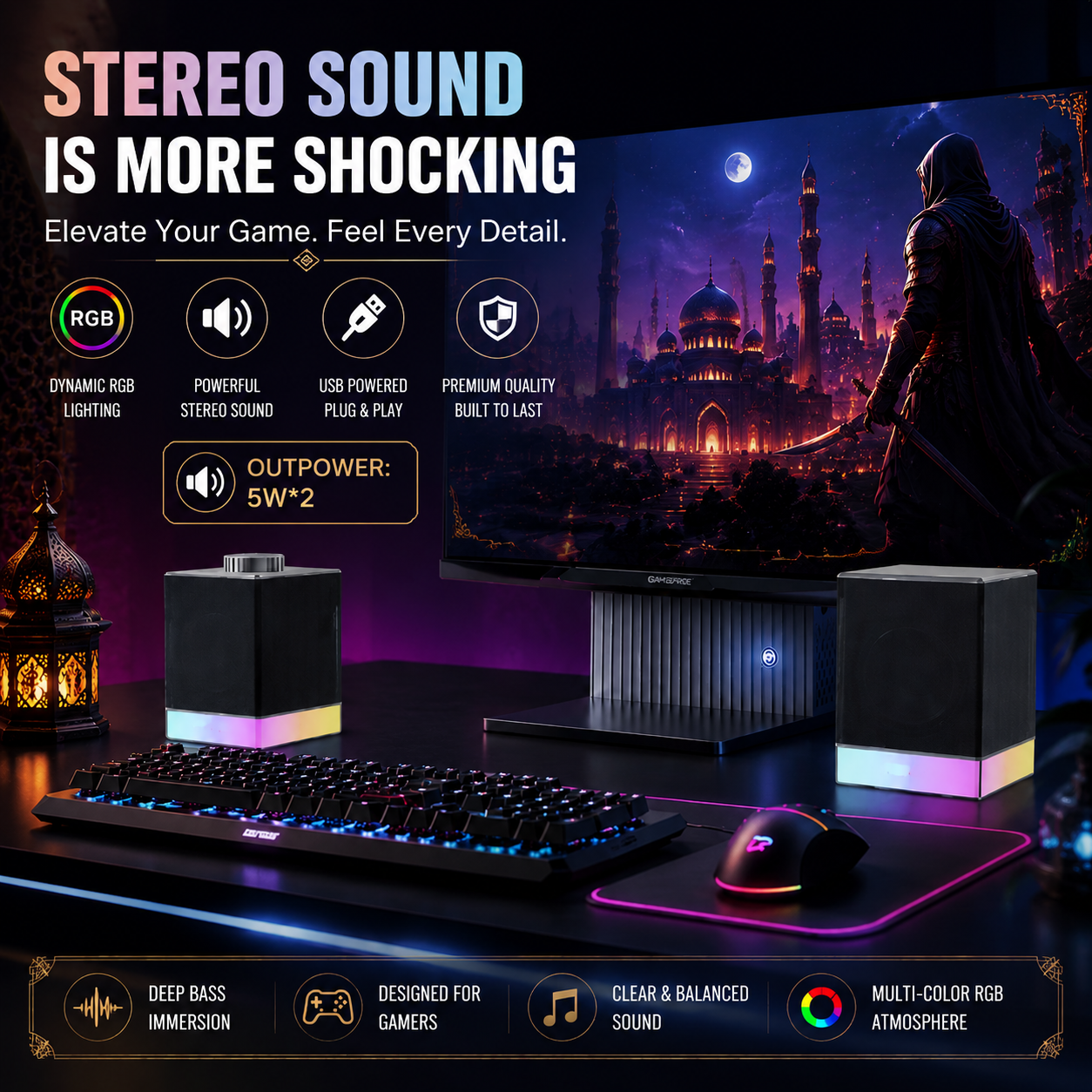
10. RGB Power Consumption
RGB lighting consumes power.
In a gaming soundbar, the power system may also need to support:
Amplifier
Bluetooth
USB audio
DSP
Control electronics
The engineering team must calculate the total power requirement.
High RGB brightness combined with high audio output can place additional demand on the power system.
This is particularly important for USB-powered products.
11. RGB and USB Power
USB-powered gaming soundbars are attractive because they simplify cable management.
However, available power is not unlimited.
Engineers must balance:
Audio Output + RGB Brightness + Electronics Consumption
If the design requires more power than the selected USB architecture can reliably provide, compromises may be necessary.
Possible solutions include:
Adjusting amplifier output
Optimizing RGB brightness
Improving power efficiency
Selecting another power architecture
Power planning should therefore begin early in product development.
12. RGB and Thermal Management
LEDs, amplifiers, and electronic components generate heat.
Although individual LEDs may not generate large amounts of heat, many components operating inside a compact enclosure can influence thermal performance.
Engineers should consider:
PCB layout
Component spacing
Enclosure ventilation where appropriate
Heat distribution
Thermal stability contributes to long-term reliability.
13. RGB and Audio Interference
A gaming soundbar combines sensitive audio circuits with digital lighting electronics.
Poor electrical design can introduce unwanted problems such as:
Noise
Interference
Buzzing
Proper engineering may require careful attention to:
PCB layout
Grounding
Power distribution
Signal routing
RGB should never compromise the core audio experience.
14. RGB and Acoustic Design
Lighting components also occupy physical space.
Inside a compact soundbar, engineers may need space for:
Drivers
Acoustic chambers
Passive radiators
PCB
RGB boards
Light guides
Wiring
This creates another important engineering balance:
Visual Design ↔ Acoustic Performance
For example, a large illuminated front panel may look impressive but could interfere with grille design or available acoustic openings if poorly planned.
Industrial designers and acoustic engineers should therefore work together.
15. RGB and Industrial Design
The best RGB systems feel integrated into the product rather than attached afterward.
Lighting should follow:
Housing geometry
Product proportions
Brand design language
For example, an aggressive esports product might use:
Sharp lighting lines
Strong contrast
Dynamic effects
A premium minimalist gaming product might use:
Subtle bottom lighting
Soft diffusion
Fewer effects
Both approaches can work.
The correct design depends on the brand.
16. Building a Gaming Brand Identity Through RGB
For OEM customers, RGB can become part of a broader gaming ecosystem.
Imagine a brand offering:
Gaming keyboard
Gaming mouse
Gaming headset
Gaming soundbar
If these products share similar:
Lighting language
Colors
Materials
Surface finishes
the entire product family becomes more recognizable.
This is more valuable than simply adding RGB independently to every product.
17. RGB Customization for OEM Gaming Soundbars
Brands can potentially customize several areas.
Lighting Position
Choose:
Front
Bottom
Side
Logo
Multiple zones
Lighting Effects
Customize:
Static colors
Breathing
Cycling
Dynamic patterns
Brightness
Adjust according to:
Product positioning
Power limitations
User environment
Control Logic
Customize how users:
Change color
Change mode
Turn lighting off
Brand Colors
Brands may prioritize specific colors that match their visual identity.
18. RGB Customization for ODM Projects
ODM projects generally use an existing product platform.
Customization may be more limited than full OEM development.
Depending on the platform, possible changes may include:
Default lighting mode
Selected effects
Logo
Housing color
Packaging
This can be an efficient solution for brands seeking faster market entry.
19. Full OEM RGB Development
A deeper OEM project may allow brands to develop:
Custom lighting architecture
Unique light guides
Custom housing integration
Multiple lighting zones
Customized firmware behavior
Brand-specific control logic
This creates greater differentiation but requires more:
Engineering
Tooling
Testing
Development time
The appropriate level depends on the brand's strategy.
20. How RGB Affects Manufacturing Cost
RGB lighting adds more than the cost of LEDs.
Total cost may include:
LEDs
Controller
PCB
Diffuser
Light guide
Wiring
Assembly
Firmware development
Testing
More complex effects may also require more advanced electronics.
This means a product with a simple single-zone RGB strip can have a very different cost structure from a multi-zone addressable lighting system.
21. How Manufacturers Test RGB Lighting
RGB testing should be part of product quality control.
Important checks include:
Color Test
Verify:
Correct colors
Consistency
Mode behavior
Brightness Test
Check for:
Uneven lighting
Dark zones
Excessive hotspots
Functional Test
Verify:
Buttons
Mode switching
Memory behavior
Aging Test
Operate the lighting for extended periods to identify early failures.
Visual Inspection
Check:
Diffuser appearance
Light leakage
Assembly alignment
22. Common RGB Design Mistakes
Mistake 1: Adding RGB Too Late
If lighting is added after acoustic and mechanical design is already completed, engineers may struggle to find suitable space.
RGB should be considered from the beginning.
Mistake 2: Too Many Lighting Effects
More modes can make controls confusing.
Focus on useful and attractive effects.
Mistake 3: Excessive Brightness
Gaming products do not need to illuminate the entire room.
Comfort matters.
Mistake 4: Visible LED Hotspots
Poor diffusion can make an otherwise premium product look inexpensive.
Mistake 5: Ignoring Power Requirements
Audio and lighting share the same overall power architecture.
Mistake 6: Prioritizing RGB Over Sound
A gaming soundbar is still an audio product.
Sound quality should remain the foundation.
🏭 Real Factory Insight
One of the biggest differences between a basic RGB product and a well-designed gaming product is how early lighting enters the development process.
If engineers finish the enclosure, acoustics, PCB, and power system first and then someone says:
“Now let's add RGB.”
the result is often compromised.
A better process begins with the complete product experience.
The team should determine:
Where should users see the light?
How bright should it be?
What should it communicate?
How does it match the brand?
How much internal space does it require?
How much power does it consume?
Will it affect acoustic performance?
RGB then becomes part of the product architecture rather than an accessory added at the end.
What OEM Buyers Should Evaluate on RGB Samples
When evaluating a gaming soundbar prototype, do not test RGB only in a brightly lit office.
Also test it in a realistic gaming environment.
Evaluate:
Lighting Uniformity
Are individual LED points visible?
Brightness
Is the lighting comfortable in a dark room?
Color
Are colors visually consistent?
Controls
Can users change modes easily?
Memory
Does the product remember settings correctly where applicable?
Audio Interaction
Does changing RGB modes introduce any unwanted audio noise?
Overall Design
Does the lighting make the product look better—or simply brighter?
Buyer Decision Checklist
Before beginning an OEM RGB gaming soundbar project, define:
Target gamer
Product price positioning
RGB location
Number of lighting zones
Required colors
Required effects
Brightness control
RGB on/off function
Memory requirements
Input indicator behavior
USB power requirements
Sound output target
Brand identity
Target market
Clear requirements help manufacturers select the appropriate RGB architecture.
Why Choose Shinedee
Shenzhen Shinedee Electronics develops gaming and desktop audio products for global brands.
Our capabilities include:
Gaming soundbar development
RGB lighting customization
Light-guide integration
Electronics development
USB audio solutions
Bluetooth integration
Acoustic tuning
Industrial design support
OEM and ODM manufacturing
Quality control
Mass production
Our product categories include:
Gaming Soundbars
RGB Gaming Speakers
Desktop Speakers
Portable Bluetooth Speakers
Outdoor Waterproof Speakers
With over 15 years of manufacturing experience, Shinedee supports customers from product concept and RGB design through acoustic engineering, prototype development, testing, and mass production.
Frequently Asked Questions
Why do gaming soundbars use RGB lighting?
RGB helps create gaming atmosphere, strengthen product identity, and visually integrate the soundbar with other gaming accessories.
Is RGB lighting only decorative?
No. RGB can also provide functional information such as input mode or product status when designed as part of the user interface.
What is the difference between conventional RGB and addressable RGB?
Conventional RGB typically controls LEDs together in zones, while addressable systems can provide more individual control and more complex lighting effects.
Can gaming soundbar RGB colors be customized?
Yes. Depending on the OEM or ODM platform, brands may customize colors, effects, default modes, lighting locations, and control behavior.
Does RGB lighting affect sound quality?
RGB itself does not need to reduce sound quality, but poor mechanical, electrical, or power-system integration can create compromises. Lighting and audio systems should therefore be engineered together.
Does RGB increase gaming soundbar cost?
Yes. The additional cost can include LEDs, controllers, PCB components, diffusers, light guides, assembly, firmware, and testing.
Can a USB-powered gaming soundbar support RGB?
Yes, depending on the overall power architecture. Engineers must balance amplifier output, RGB consumption, and other electronics within the available power budget.
Can a brand create exclusive RGB effects?
For deeper OEM projects, customized lighting behavior and brand-specific effects may be possible depending on the selected hardware and firmware architecture.
Conclusion
RGB lighting can transform a gaming soundbar from a simple desktop speaker into a recognizable part of the gaming environment.
But successful RGB design requires more than adding LEDs.
Manufacturers must coordinate:
Lighting architecture
Optical diffusion
Industrial design
PCB development
Power management
Firmware
Acoustic engineering
User controls
For gaming brands, the strongest RGB strategy is not necessarily the one with the most colors or effects.
It is the one that creates a coherent product experience and reinforces the brand's identity.
By developing lighting, acoustics, electronics, and industrial design together from the beginning, brands can create gaming soundbars that look distinctive while maintaining reliable audio performance.
Shinedee supports global brands with OEM and ODM gaming soundbar development from RGB concepts and acoustic engineering through prototype testing and mass production.
https://gamingspeaker.com/portable-speaker/soundbar-manufacturer-oem-odm-guide
https://gamingspeaker.com/portable-speaker/gaming-soundbar-manufacturer-oem-odm
https://gamingspeaker.com/portable-speaker/gaming-soundbar-acoustic-design-drivers-dsp
https://gamingspeaker.com/portable-speaker/gaming-soundbar-connectivity-usb-bluetooth-aux