How to Choose Gaming Speakers for Different Desk Sizes: Complete Setup Guide (2026)
How to Choose Gaming Speakers for Different Desk Sizes
Introduction
A gaming speaker that performs perfectly on one desk may feel oversized or underpowered on another. When selecting desktop audio equipment, many buyers focus on specifications such as output power or Bluetooth version, but overlook one important factor:
Desk size.
The available space influences:
Speaker placement
Stereo imaging
Cable management
RGB lighting visibility
Overall gaming experience
For gaming brands, retailers, and OEM buyers, understanding different desktop scenarios helps develop products that better match real customer needs. This guide explains how to choose gaming speakers based on desk size and usage habits.
Why Desk Size Matters
Gaming speakers are part of the entire desktop ecosystem.
They must coexist with:
Monitor
Keyboard
Mouse
PC case
Microphone
Webcam
RGB accessories
Choosing the right speaker size improves both audio performance and workspace comfort.
Small Desk Setup (80–100 cm)
Small desks are common in:
Student dormitories
Apartments
Home offices
Compact gaming rooms
Common challenges include:
Limited speaker space
Monitor stand interference
Cable clutter
Short listening distance
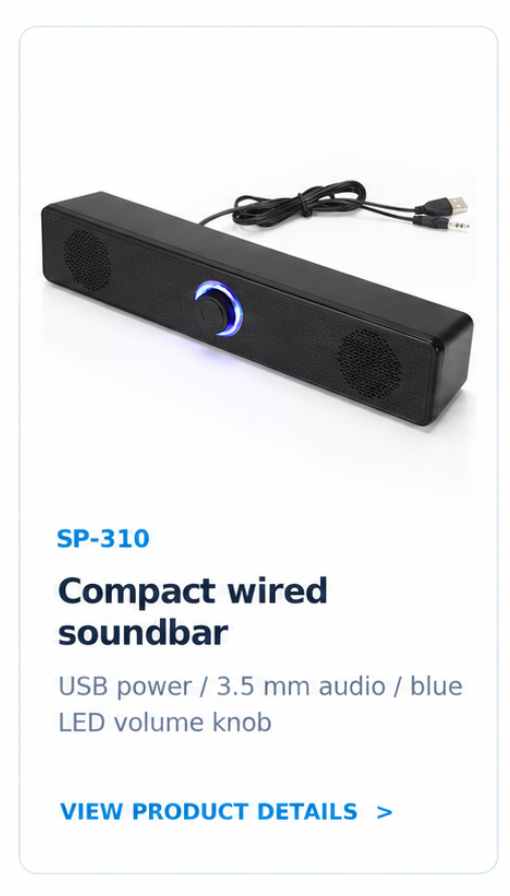
Recommended Product: Gaming Soundbar
Advantages:
Fits beneath the monitor
Leaves more room for keyboard and mouse
Simple installation
Clean appearance
Compact RGB gaming soundbars are usually the best solution for small gaming spaces.
Medium Desk Setup (100–140 cm)
This is the most common gaming desk size. It offers enough room for:
One or two monitors
Mechanical keyboard
Mouse pad
Gaming accessories
Recommended Products-Both categories perform well:
Gaming Soundbar
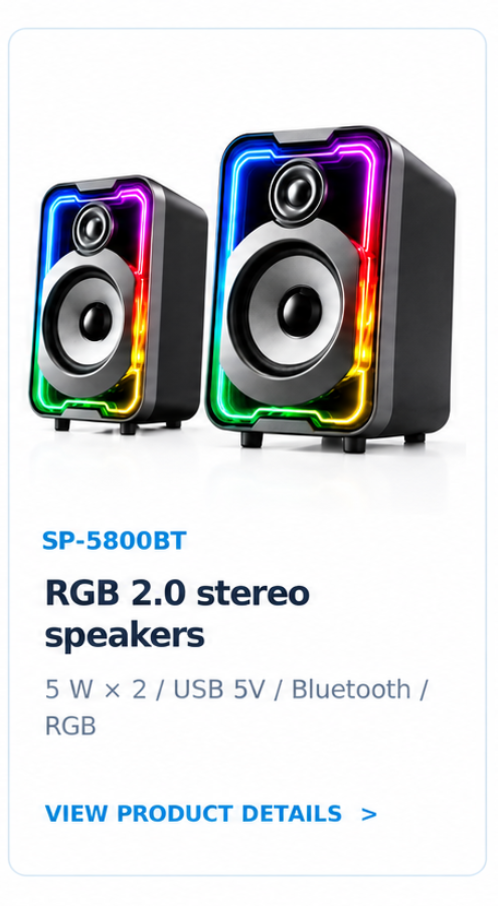
2.0 RGB Gaming Speakers
The choice depends on personal preference. Users who prioritize aesthetics often choose soundbars. Users seeking wider stereo imaging may prefer 2.0 speakers.
Large Desk Setup (140 cm and Above)
Large desks provide more flexibility.
Typical setups include:
Dual or triple monitors
Desktop PC
RGB lighting system
Streaming equipment
Recommended Product: 2.0 Gaming Speakers
Advantages:
Wider stereo separation
Larger acoustic chamber
Strong desktop presence
More dramatic RGB display
Large desks allow proper left-right speaker positioning, improving the overall soundstage.
Gaming Soundbar vs 2.0 Speakers by Desk Size
| Desk Size | Recommended Product | Main Advantage |
|---|---|---|
| Small | Gaming Soundbar | Saves space |
| Medium | Soundbar or 2.0 | Flexible |
| Large | 2.0 Gaming Speakers | Better stereo separation |
Neither product replaces the other. Each serves different gaming environments.
Speaker Placement Tips
Correct placement significantly improves sound quality.
Gaming Soundbar
Position:
Centered below the monitor
Facing directly toward the user
Not blocked by monitor stands
2.0 Speakers
Place:
Left and right of the monitor
Equal distance from the listener
Slightly angled inward
Proper positioning improves stereo imaging.
Common Buying Mistakes
Buying Speakers That Are Too Large
Oversized speakers can:
Block monitor visibility
Reduce usable desk space
Create poor aesthetics
Ignoring Cable Management
Messy cables reduce the visual appeal of gaming setups. Choose products with practical cable routing.
Choosing Style Over Sound
RGB lighting is attractive, but sound quality should remain the priority.
OEM Opportunities
Brands can develop products for different market segments. Examples include:
Compact Series
Designed for:
Students
Apartments
Office users
Performance Series
Designed for:
Competitive gamers
Streamers
Enthusiasts
Premium Series
Designed for:
Large gaming rooms
Multi-monitor setups
High-end desktop environments
Segmented product strategies help brands reach a wider audience.
🏭 Real Factory Insight
Many gaming speaker projects begin with output power discussions. However, experienced product teams usually start with desktop dimensions.
Why? Because the available space determines:
Product size
Driver selection
Housing structure
RGB layout
Acoustic chamber volume
A speaker designed specifically for compact desks often delivers a better user experience than a larger model forced into a small workspace. Successful gaming products are designed around real user environments—not just technical specifications.
Why Choose Shinedee
Shenzhen Shinedee Electronics develops gaming audio products for a wide range of desktop environments.
Our product categories include:
RGB Gaming Speakers
Gaming Soundbars
Computer Speakers
Portable Bluetooth Speakers
Outdoor Waterproof Speakers
Our OEM and ODM capabilities include:
Product planning
Industrial design
Acoustic engineering
RGB lighting customization
USB sound card integration
Prototype development
Quality testing
Mass production
With over 16 years of manufacturing experience, Shinedee helps brands create desktop audio products that match real user needs.
🔎Read more: Gaming Speakers Manufacturer for OEM, ODM and Private Label Brands
Frequently Asked Questions
Are gaming soundbars better for small desks? Yes. Their compact design saves space while maintaining good audio performance.
Are 2.0 speakers better for large desks? Generally yes, because wider placement improves stereo separation.
How far apart should 2.0 speakers be? Ideally, the speakers should be positioned at approximately the same distance from each other as they are from the listener.
Does desk size affect sound quality? Yes. Placement and available space influence stereo imaging, reflections, and overall listening experience.
Can manufacturers create different sizes for different markets? Yes. OEM development allows brands to create compact, standard, and premium product lines.
Conclusion
Choosing gaming speakers is not only about power output or RGB lighting. Desk size, listening distance, and desktop layout all influence the final experience. Gaming soundbars are ideal for compact workspaces, while 2.0 gaming speakers offer greater stereo performance for larger gaming environments.
By understanding different user scenarios, brands can develop products that better meet market expectations. Shinedee helps global customers design gaming audio solutions for every desktop environment through professional OEM and ODM manufacturing.